SaaS Server Vitals – Classic SaaS Blue Clean Modern
<div class="fp-saas-server-uptime-monitor-ui">
    <div class="fp-saas-server-uptime-monitor-ui-stage">
        <div class="fp-saas-server-uptime-monitor-ui-shimmer"></div>

        <div class="fp-saas-server-uptime-monitor-ui-content">
            <div class="fp-saas-server-uptime-monitor-ui-header">
                <div class="fp-saas-server-uptime-monitor-ui-brand">
                    <svg class="fp-saas-server-uptime-monitor-ui-logo" viewBox="0 0 24 24" fill="none" stroke="currentColor" stroke-width="2" stroke-linecap="round" stroke-linejoin="round">
                        <rect x="2" y="2" width="20" height="8" rx="2" ry="2"></rect>
                        <rect x="2" y="14" width="20" height="8" rx="2" ry="2"></rect>
                        <line x1="6" y1="6" x2="6.01" y2="6"></line>
                        <line x1="6" y1="18" x2="6.01" y2="18"></line>
                    </svg>
                    <span>EdgeOps</span>
                </div>
                <div class="fp-saas-server-uptime-monitor-ui-status">
                    <div class="fp-saas-server-uptime-monitor-ui-pulse"></div>
                    <span>Nominal</span>
                </div>
            </div>

            <div class="fp-saas-server-uptime-monitor-ui-hero">
                <div class="fp-saas-server-uptime-monitor-ui-ring-1"></div>
                <div class="fp-saas-server-uptime-monitor-ui-ring-2"></div>
                <div class="fp-saas-server-uptime-monitor-ui-hero-text">
                    <div class="fp-saas-server-uptime-monitor-ui-hero-val">99.99%</div>
                    <div class="fp-saas-server-uptime-monitor-ui-hero-lbl">Global SLA</div>
                </div>
            </div>

            <div class="fp-saas-server-uptime-monitor-ui-grid">
                <div class="fp-saas-server-uptime-monitor-ui-card">
                    <div class="fp-saas-server-uptime-monitor-ui-card-top">
                        <span class="fp-saas-server-uptime-monitor-ui-card-name">Auth Gateway</span>
                        <span class="fp-saas-server-uptime-monitor-ui-card-status">Online</span>
                    </div>
                    <div class="fp-saas-server-uptime-monitor-ui-chart" data-bars="14"></div>
                </div>

                <div class="fp-saas-server-uptime-monitor-ui-card">
                    <div class="fp-saas-server-uptime-monitor-ui-card-top">
                        <span class="fp-saas-server-uptime-monitor-ui-card-name">Core Database</span>
                        <span class="fp-saas-server-uptime-monitor-ui-card-status">Online</span>
                    </div>
                    <div class="fp-saas-server-uptime-monitor-ui-chart" data-bars="14"></div>
                </div>

                <div class="fp-saas-server-uptime-monitor-ui-card">
                    <div class="fp-saas-server-uptime-monitor-ui-card-top">
                        <span class="fp-saas-server-uptime-monitor-ui-card-name">Storage API</span>
                        <span class="fp-saas-server-uptime-monitor-ui-card-status">Online</span>
                    </div>
                    <div class="fp-saas-server-uptime-monitor-ui-chart" data-bars="14"></div>
                </div>

                <div class="fp-saas-server-uptime-monitor-ui-card">
                    <div class="fp-saas-server-uptime-monitor-ui-card-top">
                        <span class="fp-saas-server-uptime-monitor-ui-card-name">CDN Nodes</span>
                        <span class="fp-saas-server-uptime-monitor-ui-card-status">Online</span>
                    </div>
                    <div class="fp-saas-server-uptime-monitor-ui-chart" data-bars="14"></div>
                </div>
            </div>
        </div>
    </div>
</div>
.fp-saas-server-uptime-monitor-ui {
--fp-container-width: 100%;
--fp-max-width: 500px;
--fp-aspect-ratio: 1 / 1;
--fp-primary-color: #ffffff;
--fp-secondary-color: #f0f4f8;
--fp-muted-color: #64748b;
--fp-soft-color: #e2e8f0;
--fp-background-color: transparent;
--fp-info-color: #0ea5e9;
--fp-warning-color: #f59e0b;
--fp-danger-color: #ef4444;
--fp-accent-color: #0284c7;
--fp-text-color: #1e293b;
width: var(--fp-container-width);
max-width: var(--fp-max-width);
margin: 0 auto;
background: var(--fp-background-color);
font-family: system-ui, -apple-system, BlinkMacSystemFont, "Segoe UI", Roboto, Helvetica, Arial, sans-serif;
box-sizing: border-box;
position: relative;
}
.fp-saas-server-uptime-monitor-ui * {
box-sizing: inherit;
}
.fp-saas-server-uptime-monitor-ui-stage {
aspect-ratio: var(--fp-aspect-ratio);
background: var(--fp-primary-color);
border: 1px solid var(--fp-soft-color);
border-radius: 24px;
display: flex;
align-items: center;
justify-content: center;
position: relative;
overflow: hidden;
box-shadow: 0 10px 30px -10px rgba(30, 41, 59, 0.08);
}
.fp-saas-server-uptime-monitor-ui-shimmer {
position: absolute;
top: 0; left: -100%;
width: 100%; height: 100%;
background: linear-gradient(90deg, transparent, rgba(2, 132, 199, 0.04), transparent);
transform: skewX(-20deg);
animation: fp-saas-server-uptime-monitor-ui-sweep 5s infinite;
pointer-events: none;
z-index: 10;
}
@keyframes fp-saas-server-uptime-monitor-ui-sweep {
0% { left: -100%; }
25% { left: 150%; }
100% { left: 150%; }
}
.fp-saas-server-uptime-monitor-ui-content {
display: flex;
flex-direction: column;
width: 100%;
height: 100%;
padding: 32px;
align-items: center;
justify-content: space-between;
z-index: 2;
}
.fp-saas-server-uptime-monitor-ui-header {
display: flex;
justify-content: space-between;
align-items: center;
width: 100%;
}
.fp-saas-server-uptime-monitor-ui-brand {
display: flex;
align-items: center;
gap: 8px;
font-weight: 700;
font-size: 0.9rem;
color: var(--fp-text-color);
letter-spacing: -0.02em;
}
.fp-saas-server-uptime-monitor-ui-logo {
width: 18px;
height: 18px;
color: var(--fp-accent-color);
}
.fp-saas-server-uptime-monitor-ui-status {
display: flex;
align-items: center;
gap: 8px;
background: var(--fp-secondary-color);
padding: 6px 12px;
border-radius: 20px;
font-size: 0.75rem;
font-weight: 600;
color: var(--fp-text-color);
}
.fp-saas-server-uptime-monitor-ui-pulse {
width: 8px;
height: 8px;
background: var(--fp-info-color);
border-radius: 50%;
box-shadow: 0 0 0 0 rgba(14, 165, 233, 0.7);
animation: fp-saas-server-uptime-monitor-ui-breathe 2s infinite;
}
@keyframes fp-saas-server-uptime-monitor-ui-breathe {
0% { transform: scale(0.95); box-shadow: 0 0 0 0 rgba(14, 165, 233, 0.4); }
70% { transform: scale(1); box-shadow: 0 0 0 6px rgba(14, 165, 233, 0); }
100% { transform: scale(0.95); box-shadow: 0 0 0 0 rgba(14, 165, 233, 0); }
}
.fp-saas-server-uptime-monitor-ui-hero {
position: relative;
width: 130px;
height: 130px;
display: flex;
align-items: center;
justify-content: center;
margin: 16px 0;
}
.fp-saas-server-uptime-monitor-ui-ring-1 {
position: absolute;
width: 100%;
height: 100%;
border: 2px solid var(--fp-soft-color);
border-top-color: var(--fp-accent-color);
border-radius: 50%;
animation: fp-saas-server-uptime-monitor-ui-spin 4s linear infinite;
}
.fp-saas-server-uptime-monitor-ui-ring-2 {
position: absolute;
width: 82%;
height: 82%;
border: 2px dashed var(--fp-secondary-color);
border-radius: 50%;
animation: fp-saas-server-uptime-monitor-ui-spin-reverse 12s linear infinite;
}
@keyframes fp-saas-server-uptime-monitor-ui-spin {
to { transform: rotate(360deg); }
}
@keyframes fp-saas-server-uptime-monitor-ui-spin-reverse {
to { transform: rotate(-360deg); }
}
.fp-saas-server-uptime-monitor-ui-hero-text {
display: flex;
flex-direction: column;
align-items: center;
text-align: center;
}
.fp-saas-server-uptime-monitor-ui-hero-val {
color: var(--fp-text-color);
font-weight: 800;
font-size: 1.5rem;
line-height: 1;
letter-spacing: -0.03em;
}
.fp-saas-server-uptime-monitor-ui-hero-lbl {
color: var(--fp-muted-color);
font-size: 0.65rem;
font-weight: 600;
text-transform: uppercase;
letter-spacing: 0.05em;
margin-top: 6px;
}
.fp-saas-server-uptime-monitor-ui-grid {
display: grid;
grid-template-columns: repeat(2, 1fr);
gap: 16px;
width: 100%;
}
.fp-saas-server-uptime-monitor-ui-card {
background: var(--fp-primary-color);
border: 1px solid var(--fp-soft-color);
border-radius: 12px;
padding: 16px;
display: flex;
flex-direction: column;
gap: 12px;
transition: border-color 0.3s ease;
}
.fp-saas-server-uptime-monitor-ui-card-top {
display: flex;
justify-content: space-between;
align-items: center;
width: 100%;
}
.fp-saas-server-uptime-monitor-ui-card-name {
font-size: 0.8rem;
font-weight: 600;
color: var(--fp-text-color);
}
.fp-saas-server-uptime-monitor-ui-card-status {
font-size: 0.65rem;
font-weight: 600;
color: var(--fp-info-color);
text-transform: uppercase;
letter-spacing: 0.05em;
}
.fp-saas-server-uptime-monitor-ui-chart {
height: 36px;
display: flex;
align-items: flex-end;
gap: 3px;
width: 100%;
}
.fp-saas-server-uptime-monitor-ui-bar {
flex: 1;
background: var(--fp-soft-color);
border-radius: 2px 2px 0 0;
min-height: 4px;
transition: background-color 0.3s ease;
}
@media (max-width: 480px) {
.fp-saas-server-uptime-monitor-ui-content {
padding: 24px 16px;
}
.fp-saas-server-uptime-monitor-ui-grid {
grid-template-columns: 1fr;
gap: 12px;
}
.fp-saas-server-uptime-monitor-ui-hero {
width: 110px;
height: 110px;
margin: 12px 0;
}
.fp-saas-server-uptime-monitor-ui-hero-val {
font-size: 1.25rem;
}
.fp-saas-server-uptime-monitor-ui-chart {
height: 28px;
}
}(function() {
document.querySelectorAll('.fp-saas-server-uptime-monitor-ui').forEach(root => {
let animationFrameId;
const barsArray = [];
let frameCount = 0;
const charts = root.querySelectorAll('.fp-saas-server-uptime-monitor-ui-chart');
charts.forEach(chart => {
const numBars = parseInt(chart.dataset.bars) || 14;
for (let i = 0; i < numBars; i++) {
const bar = document.createElement('div');
bar.className = 'fp-saas-server-uptime-monitor-ui-bar';
const initH = 15 + Math.random() * 25;
bar.dataset.current = initH;
bar.dataset.target = initH;
bar.style.height = `${initH}%`;
chart.appendChild(bar);
barsArray.push(bar);
}
});
function fp_saas_server_uptime_monitor_ui_handleVisibilityChange() {
if (document.visibilityState === 'hidden') {
if (animationFrameId) {
cancelAnimationFrame(animationFrameId);
animationFrameId = null;
}
} else {
if (!animationFrameId) {
animationFrameId = requestAnimationFrame(fp_saas_server_uptime_monitor_ui_loop);
}
}
}
document.addEventListener('visibilitychange', fp_saas_server_uptime_monitor_ui_handleVisibilityChange);
function fp_saas_server_uptime_monitor_ui_loop() {
if (!document.body.contains(root)) {
cancelAnimationFrame(animationFrameId);
observer.disconnect();
document.removeEventListener('visibilitychange', fp_saas_server_uptime_monitor_ui_handleVisibilityChange);
return;
}
if (document.visibilityState === 'visible') {
frameCount++;
if (frameCount % 4 === 0) {
barsArray.forEach(bar => {
let current = parseFloat(bar.dataset.current);
let target = parseFloat(bar.dataset.target);
if (Math.abs(current - target) < 1) {
if (Math.random() < 0.03) {
target = 65 + Math.random() * 35;
bar.style.backgroundColor = 'var(--fp-accent-color)';
} else {
target = 10 + Math.random() * 30;
bar.style.backgroundColor = 'var(--fp-soft-color)';
}
bar.dataset.target = target;
}
current += (target - current) * 0.12;
bar.dataset.current = current;
bar.style.height = `${current}%`;
});
}
}
animationFrameId = requestAnimationFrame(fp_saas_server_uptime_monitor_ui_loop);
}
const observer = new IntersectionObserver((entries) => {
entries.forEach(entry => {
if (entry.isIntersecting) {
if (!animationFrameId && document.visibilityState === 'visible') {
animationFrameId = requestAnimationFrame(fp_saas_server_uptime_monitor_ui_loop);
}
} else {
if (animationFrameId) {
cancelAnimationFrame(animationFrameId);
animationFrameId = null;
}
}
});
}, { threshold: 0.1 });
observer.observe(root);
});
})();
Description
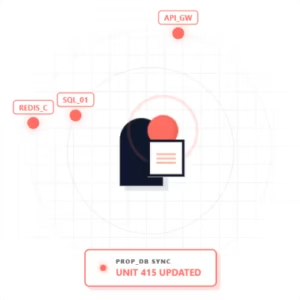
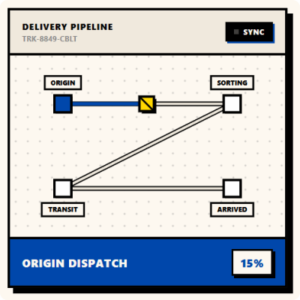
The SaaS Server Vitals – Classic SaaS Blue Clean Modern is an enterprise-grade UI card component engineered specifically for high-performance technology dashboards. Functioning as a pristine data visualization container, it enables development teams to effortlessly display critical backend metrics, such as real-time server health, active nodes, and uptime statuses, within a highly polished, responsive layout.
For B2B developers, enterprise agencies, and tech leads, bloated front-end frameworks frequently derail performance metrics and complicate long-term maintainability. This component directly solves the “framework fatigue” problem. By utilizing a sterile DOM structure powered exclusively by vanilla web technologies, it provides a drop-in, zero-friction solution. It empowers technology platforms to meet rigorous enterprise performance standards and maintain strict security compliance without sacrificing high-end UI/UX aesthetics.
Technical Architecture & Performance
Built for engineering teams that prioritize speed and maintainability, this component is structurally designed to bypass the overhead of modern monolithic frameworks.
-
Zero-Dependency Architecture: Developed with 100% pure HTML, CSS, and Vanilla JavaScript. Absolutely no heavy external libraries, no Tailwind, no Bootstrap, and no GSAP required.
-
Sterile DOM Structure: Features deeply semantic, minimalist HTML formatting that prevents bloat, ensures rapid parsing, and maximizes screen-reader accessibility.
-
Guaranteed Core Web Vitals: Pre-optimized out of the box to help your application achieve 90+ PageSpeed Insights scores, maintaining ultra-low Cumulative Layout Shift (CLS) and fast First Contentful Paint (FCP).
-
Strictly Scoped CSS: Utilizes modular, conflict-free CSS variables. The styling will not leak into or break your existing global stylesheets.
-
Agnostic Headless Integration: Because it relies on web standards rather than framework-specific logic, it seamlessly integrates into any modern stack (React, Vue, Svelte, Angular) or legacy server-rendered applications.
Design & Aesthetic Impact
The visual experience is anchored by a Classic SaaS Blue color palette, a tone scientifically proven to convey trust, stability, and technological sophistication to B2B users.
The aesthetic centerpiece of this component is its Soft Glassmorphism (Frosted) animation and rendering. By utilizing CSS backdrop-filters rather than heavy JavaScript animations, it achieves a stunning, translucent frosted-glass effect that reacts smoothly to user interactions. This creates a distinct visual hierarchy and a sense of depth, ensuring that complex server data feels both highly accessible and undeniably premium. The result is a clean, modern, and slightly futuristic interface that elevates the perceived value of your entire software product.
Highlights & Benefits
Drop the code straight into your project without configuration.
Built strictly with pure CSS & Vanilla JS for maximum speed.
Constructed with strict adherence to WCAG accessibility standards for perfect contrast and screen-reader support.
Utilizes a highly optimized, clean DOM architecture ensuring lightning-fast render and maximum PageSpeed scores.

SaaS Server Vitals – Classic SaaS Blue Clean Modern
$1
Description
The SaaS Server Vitals – Classic SaaS Blue Clean Modern is an enterprise-grade UI card component engineered specifically for high-performance technology dashboards. Functioning as a pristine data visualization container, it enables development teams to effortlessly display critical backend metrics, such as real-time server health, active nodes, and uptime statuses, within a highly polished, responsive layout.
For B2B developers, enterprise agencies, and tech leads, bloated front-end frameworks frequently derail performance metrics and complicate long-term maintainability. This component directly solves the “framework fatigue” problem. By utilizing a sterile DOM structure powered exclusively by vanilla web technologies, it provides a drop-in, zero-friction solution. It empowers technology platforms to meet rigorous enterprise performance standards and maintain strict security compliance without sacrificing high-end UI/UX aesthetics.
Technical Architecture & Performance
Built for engineering teams that prioritize speed and maintainability, this component is structurally designed to bypass the overhead of modern monolithic frameworks.
-
Zero-Dependency Architecture: Developed with 100% pure HTML, CSS, and Vanilla JavaScript. Absolutely no heavy external libraries, no Tailwind, no Bootstrap, and no GSAP required.
-
Sterile DOM Structure: Features deeply semantic, minimalist HTML formatting that prevents bloat, ensures rapid parsing, and maximizes screen-reader accessibility.
-
Guaranteed Core Web Vitals: Pre-optimized out of the box to help your application achieve 90+ PageSpeed Insights scores, maintaining ultra-low Cumulative Layout Shift (CLS) and fast First Contentful Paint (FCP).
-
Strictly Scoped CSS: Utilizes modular, conflict-free CSS variables. The styling will not leak into or break your existing global stylesheets.
-
Agnostic Headless Integration: Because it relies on web standards rather than framework-specific logic, it seamlessly integrates into any modern stack (React, Vue, Svelte, Angular) or legacy server-rendered applications.
Design & Aesthetic Impact
The visual experience is anchored by a Classic SaaS Blue color palette, a tone scientifically proven to convey trust, stability, and technological sophistication to B2B users.
The aesthetic centerpiece of this component is its Soft Glassmorphism (Frosted) animation and rendering. By utilizing CSS backdrop-filters rather than heavy JavaScript animations, it achieves a stunning, translucent frosted-glass effect that reacts smoothly to user interactions. This creates a distinct visual hierarchy and a sense of depth, ensuring that complex server data feels both highly accessible and undeniably premium. The result is a clean, modern, and slightly futuristic interface that elevates the perceived value of your entire software product.